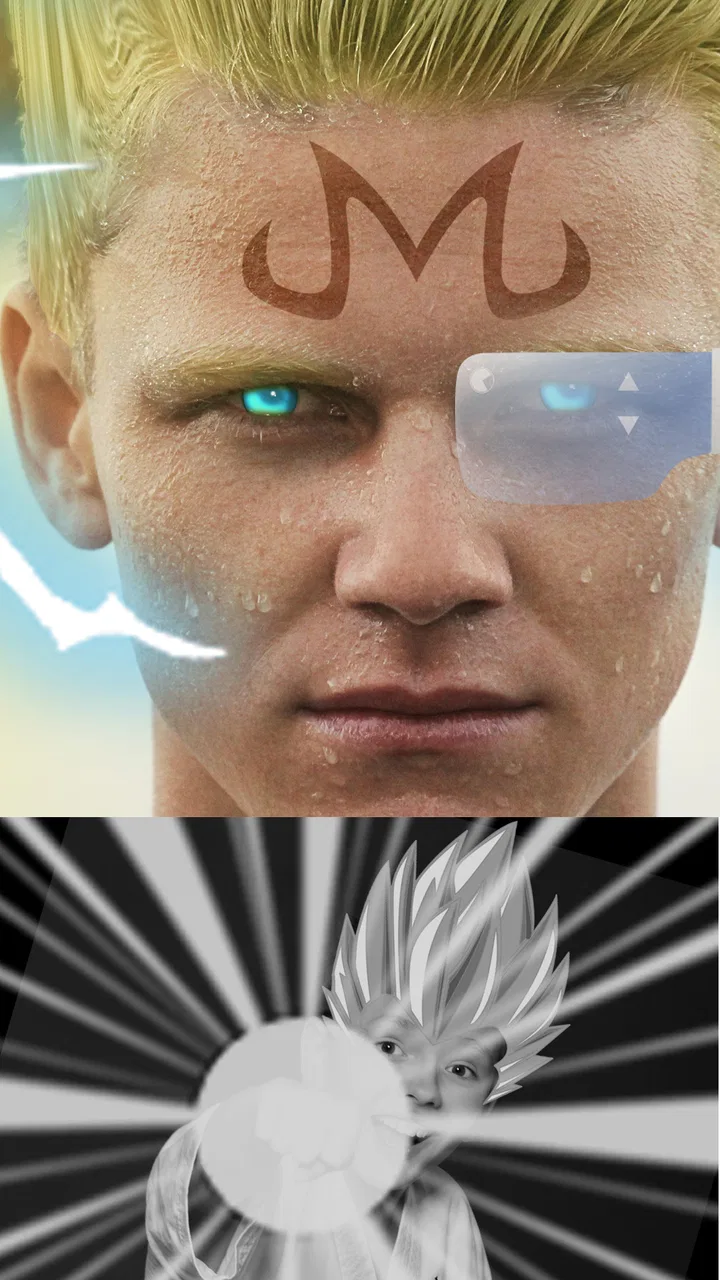
SelfComic: Super Saiyan Photo
- 4.2
- Rating
- 500.00K
- Installs
- Free
- Price

 Analysis by App-foxy
I tried SelfComic: Super Saiyan Photo with a simple goal: turn an ordinary picture into something that feels like a dramatic comic-panel transformation. The app belongs to the comics category, but it is not a comic reader or a long-form drawing tool. It is a focused photo-editing experience built around the idea of making your image look like a super-powered character moment.
That narrow purpose is also its appeal. I did not open it expecting a complete image editor, a social network, or a game with a campaign. I opened it when I wanted a quick visual joke, a playful profile image, or a small creative project that could be finished without learning a complicated design application. The result is best understood as a lightweight transformation tool rather than a full creative studio.
From an ordinary photo to a comic-style transformation
I look at the transformation as a quick creative detour, not a promise that every snapshot will become polished artwork. A clear, well-framed portrait gives the effect a better chance to read, while a crowded photo can make the comic treatment feel less distinct. Next, I’ll focus on the small choices that make a short editing session more useful.
You May Also Like

 Blood Strike: 2.5 Anniversary
Blood Strike’s Loadouts Turn Every Drop Into a Tactical Gamble
A close look at Blood Strike’s custom loadouts: how fast access to signature weapons reshapes its battle royale rhythm, rewards preparation, and narrows the gap between fights.

 Pandora - Music & Podcasts
Pandora’s Music Is Easy to Start, but Harder to Recover
Pandora’s strength is its low-effort path from a seed to a station. Its weak spot is how much confidence it asks you to place in connection, setup, and quiet recovery.

 8 Ball Pool
 Is Built on Rivalries, Rematches, and Routine
A close look at the rivalries, rematches, shared routines, and unanswered safety questions that turn a quick pool match into a persistent mobile community.

 Samsung Music
’s Quiet Strength Is Playing What You Already Own
Its reach comes less from spectacle than from dependable access to a personal library. That simplicity is both the app’s strongest retention engine and its ceiling.

 AccuWeather: Weather Radar
AccuWeather Review: A Quick, Clear Forecast for Everyday Decisions
For everyday plans, the best forecast is the one you can understand quickly. AccuWeather makes rain timing, radar, and local conditions easy to act on, with a few trade-offs.

 Hill Climb Racing
Why Hill Climb Racing Still Turns Crashes Into One More Run
A tiny car, a bumpy hill and one more upgrade: Hill Climb Racing keeps resurfacing because its simple chaos makes every near-miss feel personal.
More From Our News Desk



The starting condition matters more than I expected
The easiest way to get a good result is to begin with a photo where the subject is easy to recognize. A clear face, reasonable lighting, and a fairly simple composition give the effect more room to work. When I started with a busy image, the superhero idea became harder to read because the original picture competed with the transformation.
This is an important practical point: the app does not magically turn every photograph into a convincing comic scene. It works best when the starting image already has a strong subject. A front-facing portrait is a sensible choice for a first attempt, while a distant group photo is more likely to produce a result that feels unclear or visually crowded.
For an everyday use case, imagine taking a quick picture after a tiring workday and wanting to send friends a playful “powered up” version instead of another ordinary selfie. SelfComic: Super Saiyan Photo fits that moment because the creative decision is simple. I am not designing a whole character from scratch; I am giving one existing image a specific visual direction.
The app is free, and its Everyone content rating makes it approachable for casual family use. I would still treat the photo itself thoughtfully, especially when editing pictures of other people. A funny transformation is more enjoyable when the person in the image is comfortable with how it will be shared.
A short workflow with a clear creative target
My preferred workflow starts before opening the editor. I choose one or two images with a visible subject, decide whether the final picture is meant to be funny or dramatic, and keep the original photo available. That last step is useful because the transformed version is an experiment, not necessarily a replacement for the source image.
Inside the app, the process feels centered on choosing an image and applying the available transformation rather than building a detailed composition layer by layer. That makes the first result quick to reach. It also means the app is easier to approach than a traditional mobile graphics editor, where a new user can spend more time searching through tools than actually making something.
I recommend judging the first result at full size instead of relying only on the small preview. Comic effects can look convincing at a glance but reveal rough edges, awkward placement, or a mismatch between the original pose and the added visual treatment when viewed more closely. A few seconds of inspection can tell you whether the image is ready to share or needs a different source photo.
The strongest workflow is “choose carefully, transform quickly, inspect honestly.” That sounds basic, but it prevents the most common disappointment: blaming the effect when the real problem is an unsuitable starting image.
Making the handoff from phone gallery to finished image
The handoff between the original photo and the edited result is where a lightweight app either feels useful or frustrating. I found that the best results come from treating the app as one step in a larger routine. I select the image from the phone, make the transformation, review the outcome, and then decide whether it belongs in a message, a personal collection, or a social post.
This is different from using a full editor such as a general photo application. Those alternatives are better when I need precise cropping, color correction, text placement, multiple effects, or a carefully controlled composition. SelfComic: Super Saiyan Photo is more attractive when the destination is informal and the visual idea matters more than detailed control.
There is also a useful distinction between creating and finishing. The app provides the playful central idea, but I may still want to use the phone’s normal photo tools afterward for a crop or a small adjustment. That two-step approach is not a weakness by itself; it is a sensible division of labor. The comic transformation happens here, while final framing can happen elsewhere.
If I am sending the image to a friend, I would check the crop before sharing. A transformation can lose some of its impact if the subject is pushed too close to an edge or if the important visual area is hidden by the way a messaging service displays the image. The app gets me to the creative result, but the receiving app still affects how that result is seen.
What the finished result is good at
The finished image works best as a quick visual punchline. It can make a routine portrait feel more energetic and give a familiar photo a recognizable comic flavor. That makes it suitable for birthday messages, playful group chats, casual profile experiments, or a small personal project where the point is to amuse rather than produce professional artwork.
I especially like the low commitment. If the result is imperfect, I have not spent a long time constructing it. I can try another picture and compare the outcomes. That encourages experimentation, which is one of the app’s real strengths. A more advanced editor might offer greater control, but its complexity can make people less willing to try unusual ideas.
The app also benefits from having a clear identity. Many photo editors offer dozens of unrelated filters, and the user has to search for a coherent visual direction. Here, the super-powered comic concept gives the session a purpose from the beginning. I know what kind of image I am trying to make, so the creative process is less open-ended and more immediate.
At the same time, I would not use it for a polished poster, a business image, or a serious illustration project. The result is playful rather than endlessly customizable. If the goal is exact branding, professional retouching, or a scene assembled from several independent elements, a full design tool is the better choice.
Three practical ways to get more from the app
First, make a small personal shortlist of source photos instead of repeatedly choosing the newest picture in the gallery. A portrait with clear separation between the subject and background usually gives the transformation a stronger visual read. This saves time and makes comparisons more meaningful because I am testing the effect rather than constantly changing the quality of the input.
Second, create variations by changing the source image, not by expecting the app to solve every problem after the transformation. A different pose, camera distance, or background can change the entire mood. This is a more useful experiment than repeatedly applying the same idea to a weak photograph.
Third, separate private experimentation from public sharing. I can make several playful versions, keep the one with the clearest subject, and only then send it onward. That small pause helps avoid sharing an image where the effect is technically present but the person’s expression or framing makes the joke difficult to understand.
A fourth tip is to keep the original beside the result when deciding whether the edit works. The comparison reveals whether the transformation adds energy or merely adds visual noise. In my experience, the best outcome is not always the most intense-looking one; it is the version where the subject remains readable and the comic idea arrives immediately.
Where the flow breaks down
The biggest limitation is the same feature that makes the app approachable: its focused nature. Users who want detailed control may quickly feel restricted. I cannot approach this as a replacement for a full editor with careful masking, typography, advanced color work, or a broad collection of unrelated creative tools.
The quality of the result can also vary with the input. A poorly lit face, an unusual angle, or a photograph with too many competing details may weaken the effect. That is not unusual for image transformation apps, but it matters here because the app’s concept is so specific. When the source image does not cooperate, there are fewer alternative creative directions to rescue the session.
Another point to consider is the handoff after editing. A user may expect the app to be the complete path from camera to polished publication, while the practical workflow may still include checking the image, choosing where to save or share it, and possibly finishing the crop elsewhere. People who want an all-in-one photo workspace may prefer a broader alternative.
I would also skip it if my main interest is reading comics, following a story, or playing a conventional action game. The comics label describes its visual theme, but the experience is centered on transforming a photo. Someone looking for chapters, character progression, or an interactive battle system should choose a different type of app entirely.
How it compares with familiar alternatives
Compared with a general photo editor, SelfComic: Super Saiyan Photo is faster to understand but less flexible. A general editor gives me more ways to correct a picture and combine effects, yet it also asks me to make more decisions. This app is the better fit when I already know I want a super-powered comic treatment and do not want to construct that look manually.
Compared with a comic-making application, it starts from a real photograph rather than a blank page or a collection of panels. That makes it more immediate for personal images, but less suitable for writing dialogue, arranging multiple scenes, or developing an original visual story. The choice depends on whether the photo or the narrative is the starting point.
Compared with a social camera packed with live effects, this app feels more like a deliberate edit than a moment captured in real time. That can be helpful when I want to choose the best photograph afterward. On the other hand, users who enjoy instant previews while taking pictures may prefer a camera-first experience.
The right question is not whether it replaces all those alternatives. It does not. The useful question is whether its specific shortcut is valuable: starting with a personal photo and quickly giving it a super-powered comic identity. For that narrow job, the focused approach makes sense.
Compatibility, adoption, and everyday practicality
GameSmileStudio released the app on August 28, 2019, and the current version is 1.0.26. It supports devices running Android 5.0 or later, which covers a broad range of older and newer Android phones. That is helpful for people who do not have a recent handset but still want to try a lightweight creative app.
Its reach is also substantial, with over 500 thousand installs and an average rating of 4.2 from around 2.3 thousand ratings. I read those figures as a sign that the basic idea connects with a sizeable audience, not as a guarantee that every image will look perfect. The smaller set of written feedback, around 39 reviews, is worth treating as a complement to personal testing rather than a complete picture of every device experience.
Because the app is free, the barrier to trying it is low. That changes how I evaluate it: I do not need it to replace a professional editor to find value in it. If it produces a few enjoyable images and gives me a quick creative option when I need one, it can earn a place among my casual photo tools.
Who should use it and who should move on
I would recommend it to fans of anime-inspired power-up imagery, people who like turning selfies into jokes, and anyone who wants a simple photo transformation with a clear theme. It is particularly suitable for a short session where the desired outcome is a shareable image rather than a long editing project.
I would be more cautious about recommending it to photographers who want precise control or users who need dependable professional output. A broader editor will be more useful for correcting exposure, managing layers, adding carefully positioned text, or preparing images for a specific publication format.
It is also not the right choice for someone who wants a conventional game. The store summary presents a super saiyan-style mission to save the world, but the short description identifies the product as SelfComic, and my experience is best represented by its photo-focused nature. I would approach it as a creative app with a comic transformation theme, not as a full adventure.
My final workflow verdict
SelfComic: Super Saiyan Photo succeeds when I give it a suitable image and a modest expectation: make this photo feel like a quick super-powered comic moment. The path from gallery to result is easy to understand, and the focused concept helps me reach a recognizable outcome without wrestling with a large toolbox.
Its limitations become clear when I ask for precision, variety, or a complete publishing workflow. The source photo matters, the result may need a final check elsewhere, and users seeking detailed design controls will outgrow it. Those are real trade-offs, but they do not cancel the app’s central usefulness.
My recommendation is simple: try it when the goal is playful transformation, not professional editing. Since it is free and rated for Everyone, it is an easy option for a quick experiment. I would keep the original photo, test more than one source image, inspect the final framing, and choose another editor only when the project needs control beyond this app’s focused comic-style idea.
After using it as part of that complete workflow, I see the app as a small, specialized tool that earns its place through speed and personality. It will not replace the usual alternatives, but it does not need to. When I want an ordinary portrait to arrive with a little more energy, this is the kind of focused shortcut I would recommend to a friend.
FAQs for SelfComic: Super Saiyan Photo
01What is SelfComic: Super Saiyan Photo app, and what does it do?
SelfComic: Super Saiyan Photo is an entertaining app that allows users to transform their regular selfies into dynamic, anime-style images. With a variety of filters and effects inspired by popular anime series, particularly the Super Saiyan transformations, users can easily unleash their inner warrior by adding vibrant hair colors, intense facial expressions, and more.
02Is SelfComic: Super Saiyan Photo free to use, or does it require a subscription?
The app is free to download and use, offering basic features without any cost. However, there are in-app purchases available for users who wish to access premium features, such as additional filters, higher resolution exports, and an ad-free experience. This allows users to enhance their creative possibilities.
03How user-friendly is the SelfComic: Super Saiyan Photo app for beginners?
SelfComic: Super Saiyan Photo is designed with user-friendliness in mind, making it accessible even for beginners. The interface is intuitive, with simple navigation and easy-to-follow instructions for applying effects. Users can quickly transform their photos with just a few taps, making it a fun experience for all ages.
04What kind of customization options are available in the app?
The app offers a wide range of customization options, allowing users to alter their appearance in numerous ways. Users can choose from various hair colors, eye effects, and background enhancements to create a personalized and unique Super Saiyan look. Additionally, the app frequently updates with new features and effects to keep things fresh and exciting.
05Are there any privacy concerns when using SelfComic: Super Saiyan Photo?
SelfComic: Super Saiyan Photo takes privacy seriously and ensures that user data is handled securely. The app requires minimal permissions, primarily accessing the camera and photo gallery. It does not store photos on its servers, and any images edited within the app remain on the user's device unless explicitly shared. Always review the app's privacy policy for detailed information.
Pros
- Easy to use interface for quick edits.
- Wide range of Saiyan transformations.
- High-quality image exports available.
- Regular updates with new features.
- Fun and engaging for anime fans.
Cons
- Contains in-app purchases and ads.
- Limited free features without subscription.
- Requires internet for some effects.
- May have occasional bugs or crashes.
- High battery usage during editing.

SelfComic: Super Saiyan Photo
Gallery